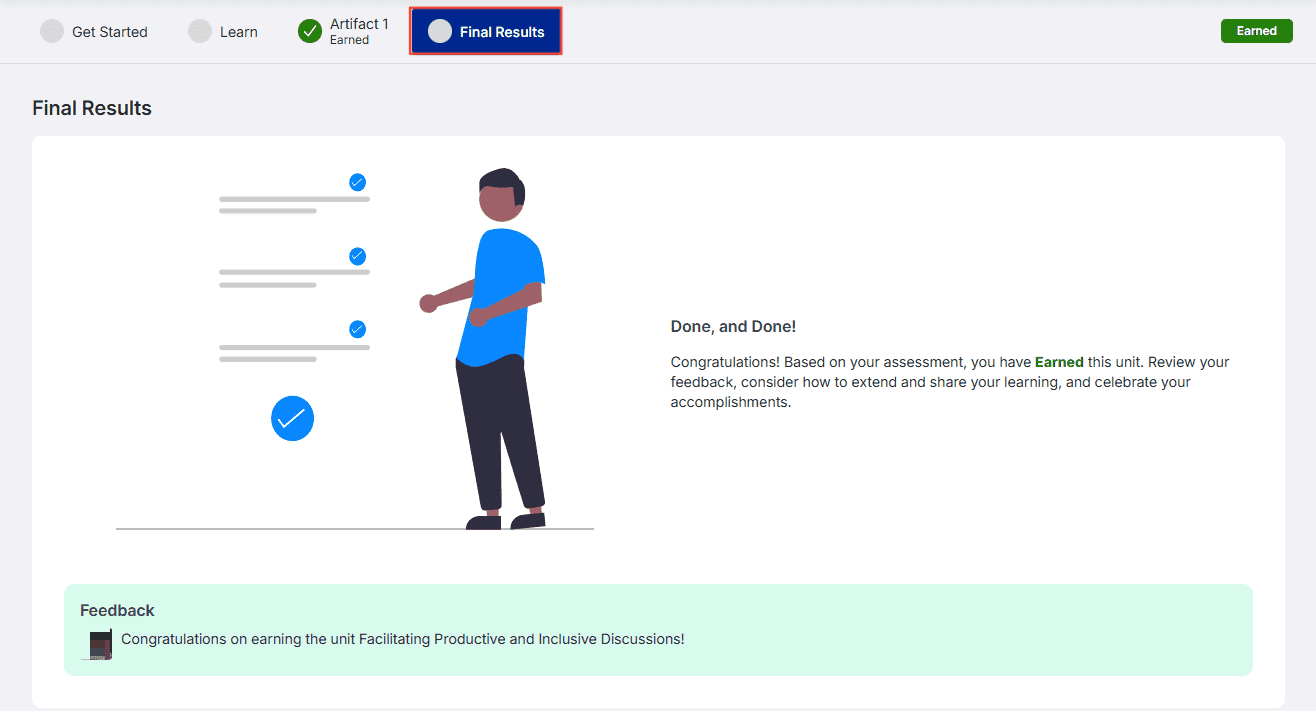
When your artifact is returned to you, you will receive feedback about what needs to be improved and what was earned. You will receive feedback at three levels: artifact feedback, part feedback, and requirement-specific feedback.
You can navigate to the Review Artifact tab to get a quick overview of what still needs to be completed before you can resubmit.
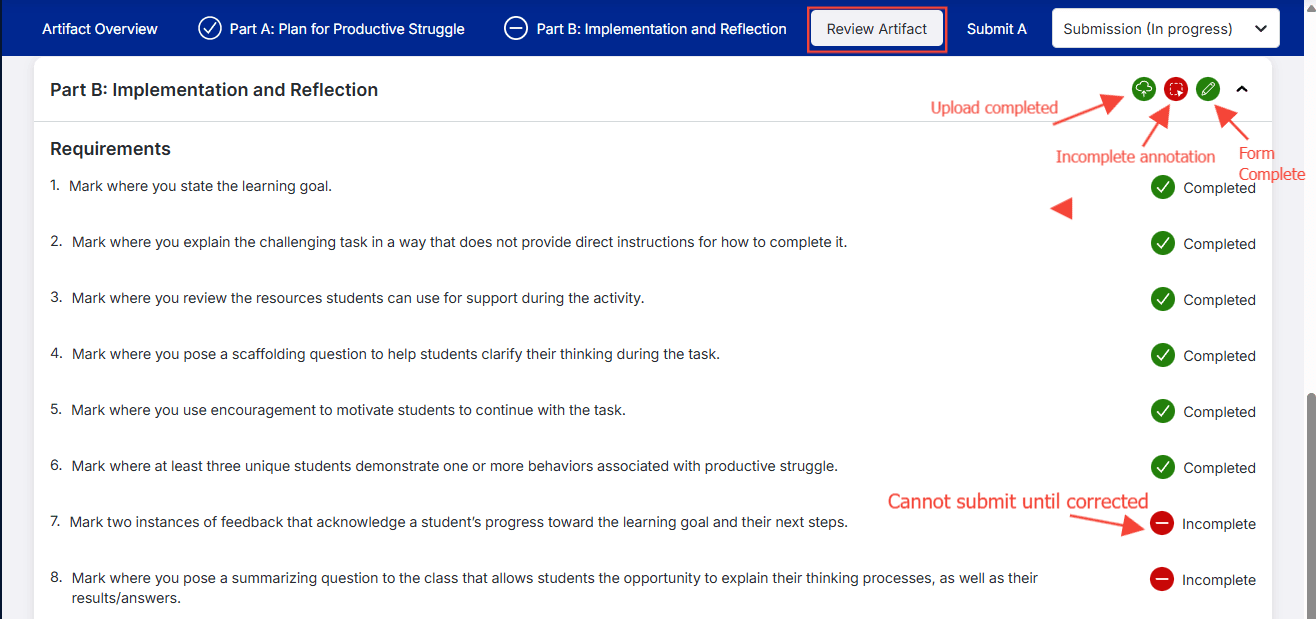
Artifact Feedback:
You can view Artifact Feedback by navigating to the artifact step and selecting the Review Artifact tab.
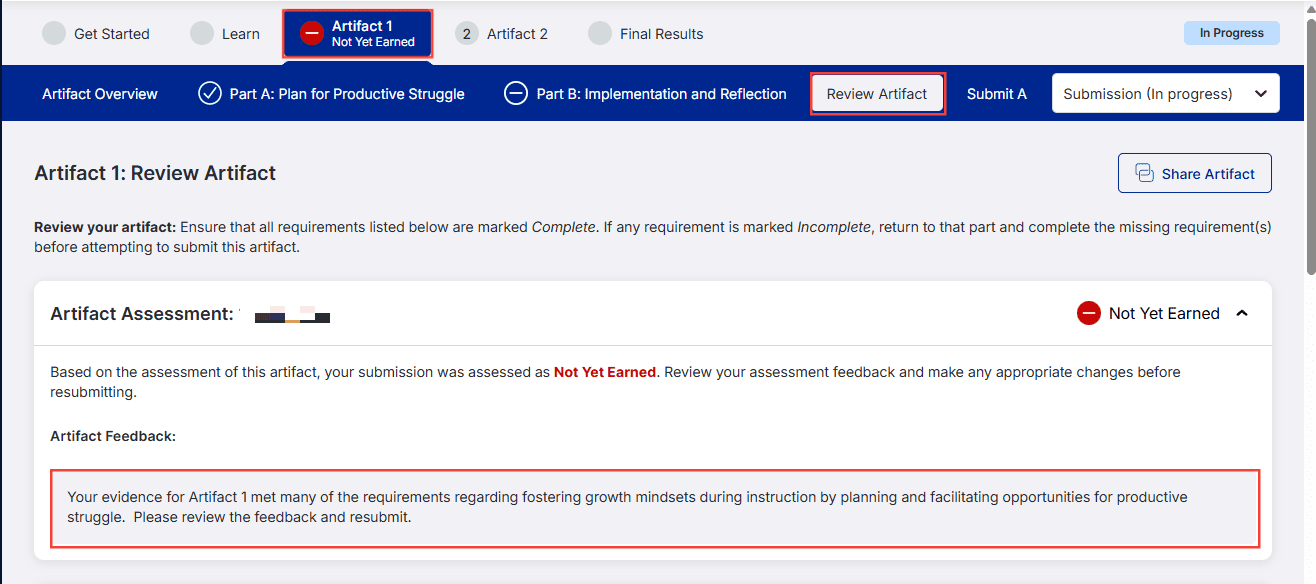
Part Feedback:
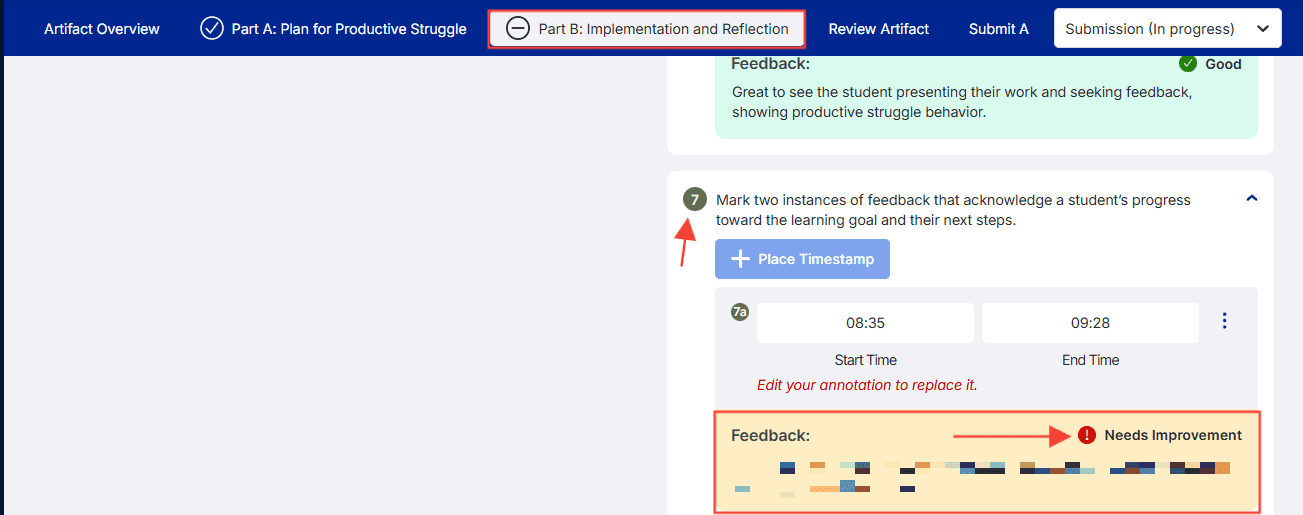
To view Part Feedback, navigate to the artifact and part that has not yet been earned. You will see the part feedback directly below the instructions.
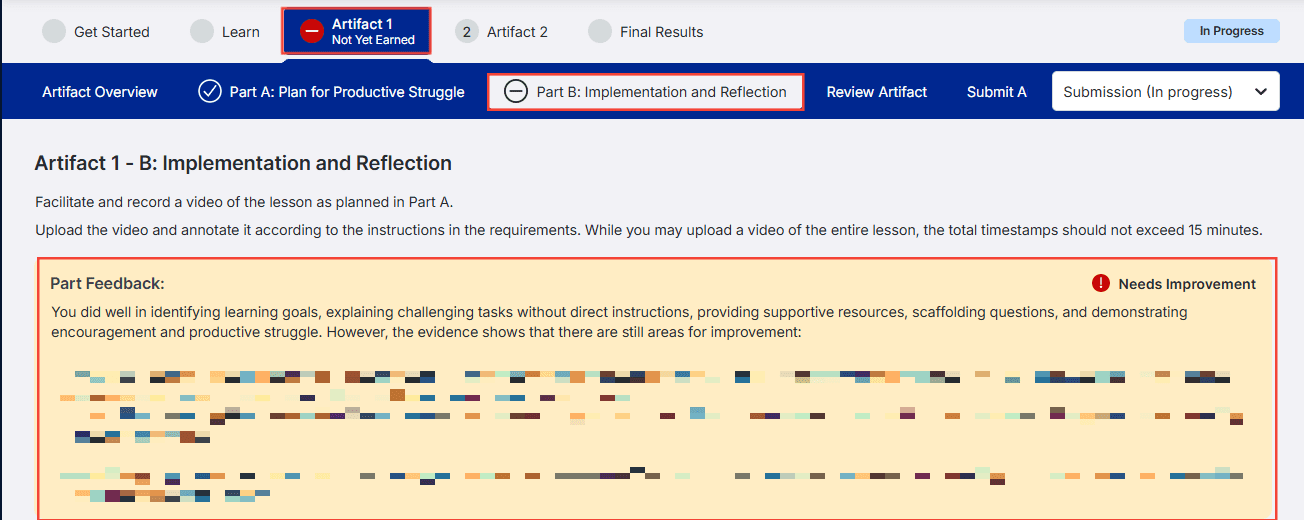
Requirement-Specific Feedback:
To view Requirement-Specific Feedback, navigate to the artifact and part that has not yet been earned. Scroll to the Prompt Response or Requirement that shows Needs Improvement in red text, and your feedback will be directly below.
Once you have earned all artifacts, your overall feedback will appear on the Final Results tab.