What is the Cohort Dashboard?
The Cohort Dashboard is a feature available to BloomBoard users with the Coach and Faculty roles. The Cohort Dashboard provides Coach and Faculty the ability to:
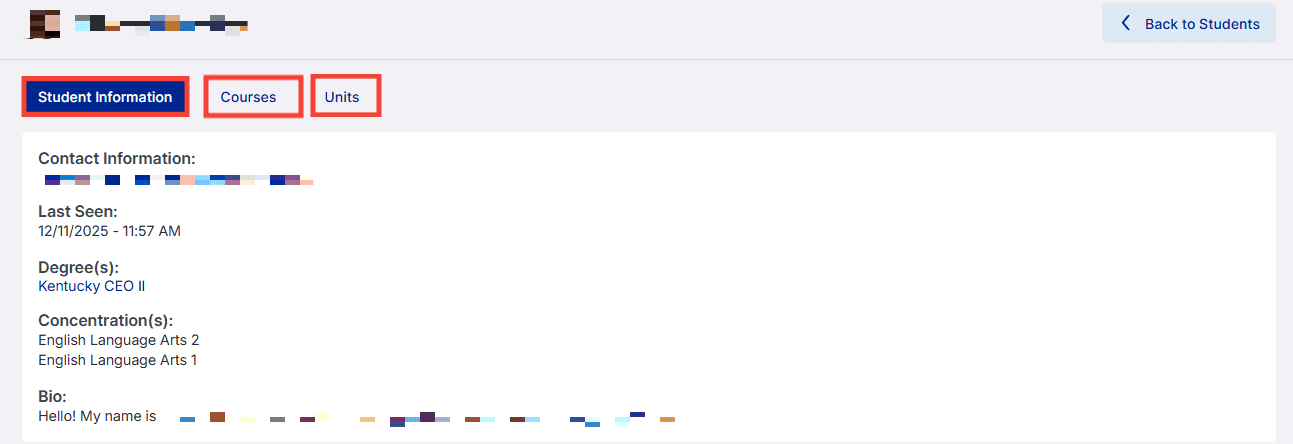
- View cohort participants' bio information.
- View cohort participants’ evidence.
- View assessment feedback on cohort participants’ evidence.
Bio Information
Your coach or faculty member can see the information you add to your bio in your profile, as well as your email address. Sharing even a short bio, including information about the grades and subjects you teach, as well as any other relevant information, can be helpful to your coach or faculty member as they assist with questions you have regarding evidence and how to meet the unit requirements for your artifacts.
Coaches and faculty members can also view your courses and included units.
Evidence
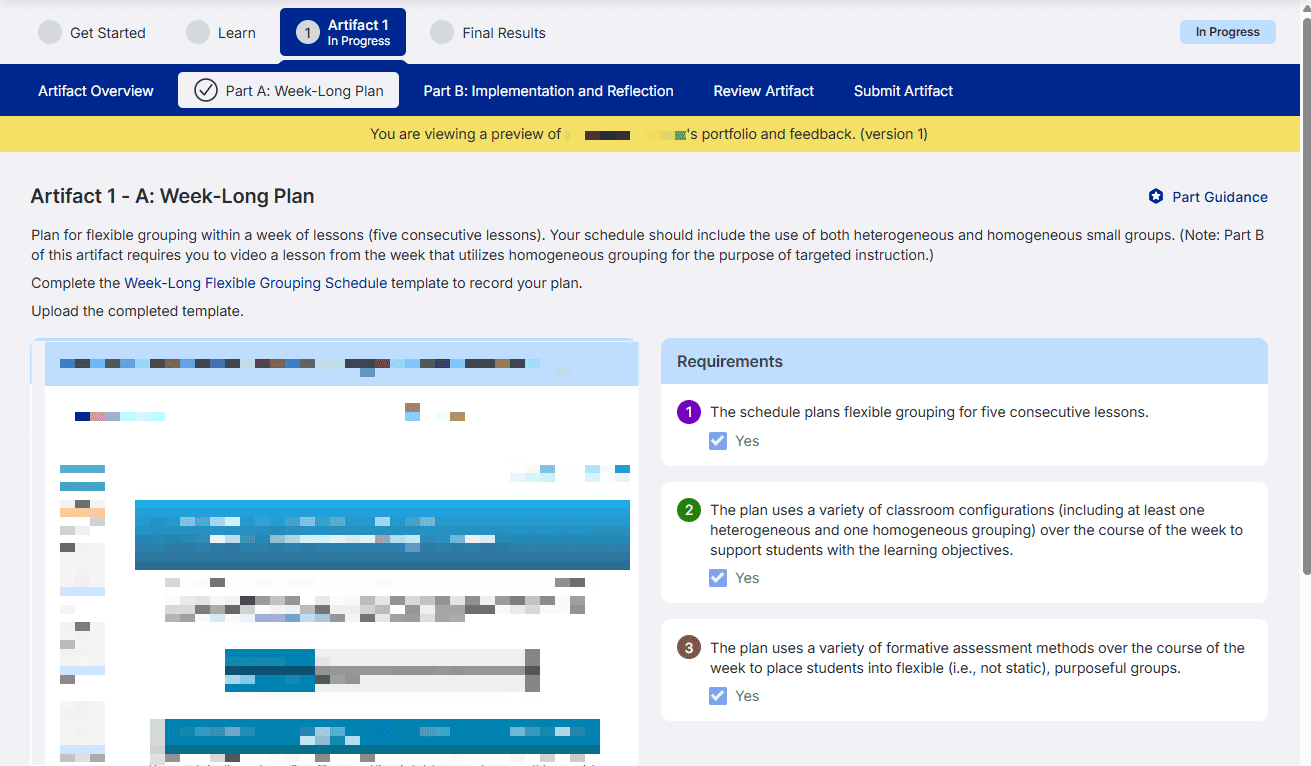
Evidence may be one or more artifacts and their parts developed by a participant to meet unit requirements. Evidence may be submitted for assessment one artifact at a time for assessment in a portfolio of evidence.
Coaches and faculty members are able to view your uploaded artifacts as well as responses to your Learn activities. This is a preview-only mode, and your coach or faculty member cannot edit your uploaded artifact in any way. Coaches and faculty can view both before submission, when artifacts are in progress, and after assessment.
Assessor Feedback on Evidence
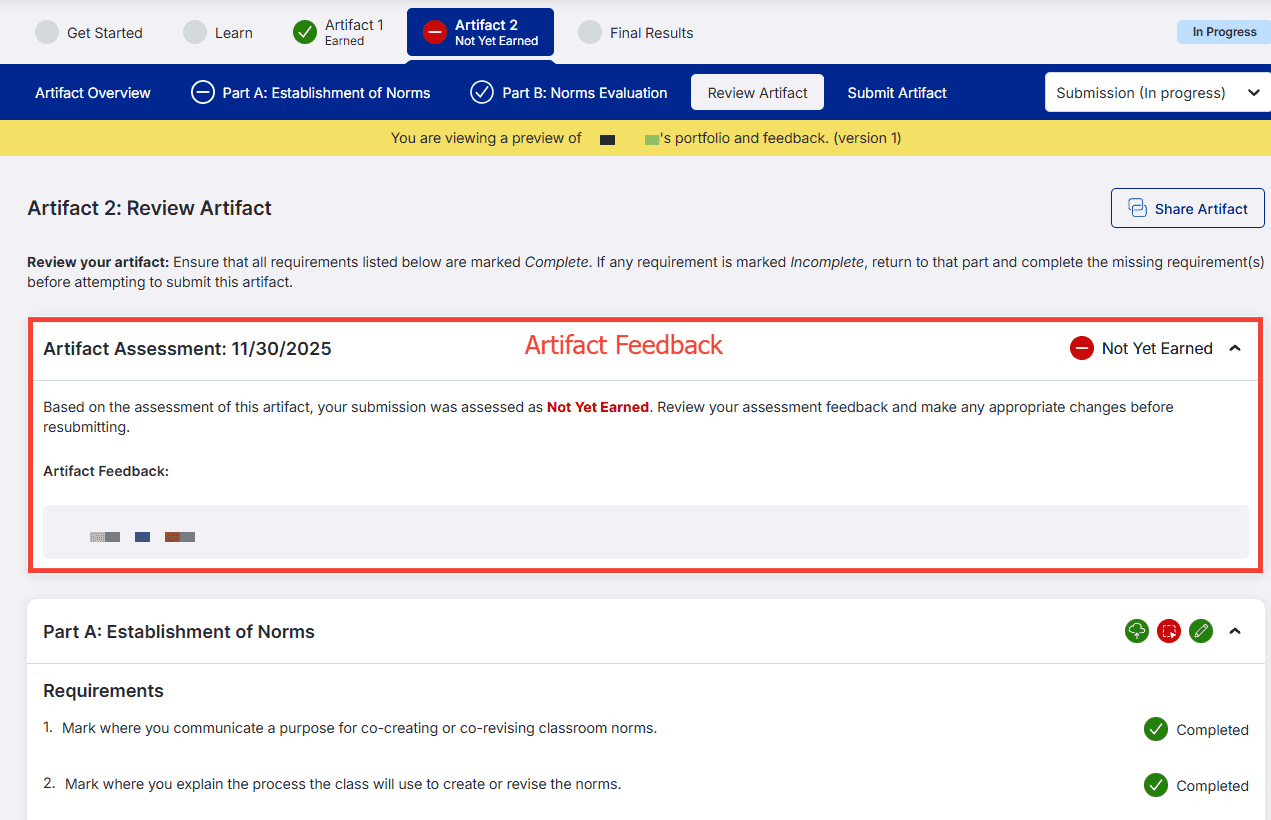
There are 3 types of assessment feedback. Your coach and faculty member will be able to view all four types of feedback.
- Part Feedback: Feedback for a specific part of your Artifact.
- Artifact Feedback: Specific feedback for each artifact and its parts.
-
Requirement-specific Feedback: Feedback on each requirement.
Once your artifact has been assessed, view the Review Artifact tab to see which requirements were missed. Your Artifact Feedback will be at the top.
Benefits of Coach and Faculty Access to Evidence and Assessor Feedback
The Cohort Dashboard gives coaches and faculty the ability to view the artifacts participants have uploaded to the BloomBoard platform and the ability to view assessment feedback the participants have received on submitted evidence.
Access to evidence before submission allows coaches and faculty to review and provide specific feedback on a participant’s evidence when a participant requests feedback.
Access to assessor feedback allows coaches and faculty to support participants with unpacking feedback and identifying revisions that could be made before resubmission.
Coach and faculty access to evidence and feedback is solely for the purpose of supporting participants. A participant’s evidence and feedback will not be shared with other participants. BloomBoard adheres to all applicable laws, rules, and regulations governing the use and protection of student records, including the Family Educational Rights and Privacy Act (FERPA). Please see our Privacy Policy regarding the collection and use of participant information.